Need help but not sure how to ask for it? You're not alone. Many people struggle with the art of reaching out, fearing that they might come across as overly needy or unprofessional. How you frame your request can make a massive difference, whether you're writing to a colleague, a friend, or even a customer service rep.
Getting the right tone and clarity in your email can be the ticket to receiving the assistance you need. A well-structured email not only shows respect for the recipient's time but also increases the likelihood of a quick, favorable response. Understanding how to communicate your needs clearly can turn awkward situations into productive conversations.
In this conversation, you’ll learn how to put your thoughts into words that effectively convey what you need and why it matters. Whether you’re looking for technical support or just need some advice, knowing the right way to ask can make all the difference.
Core Elements of Writing an Email for Help
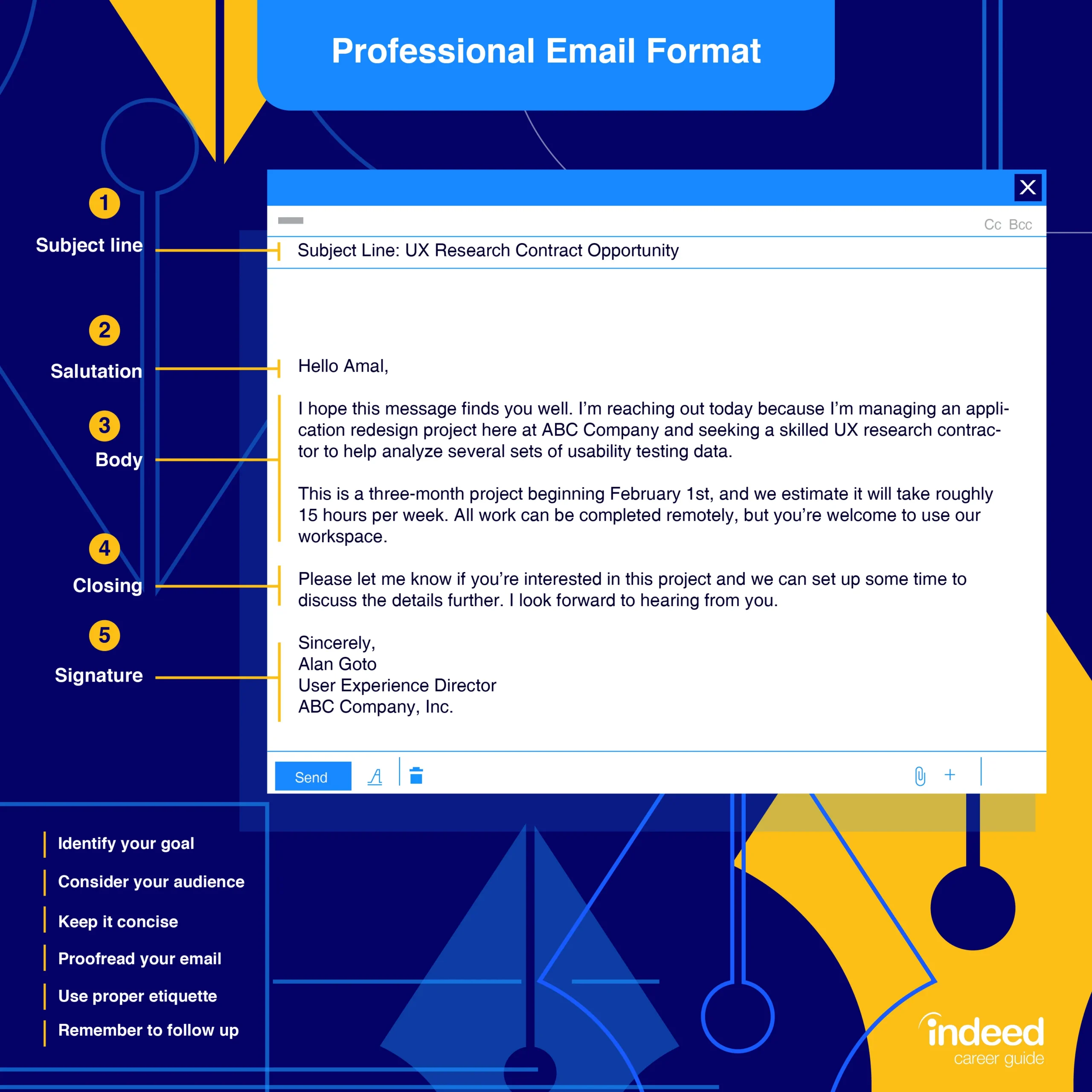
When reaching out for assistance via email, clarity and structure are vital. This ensures the recipient understands your request and can respond accordingly. Here are the core elements to include:
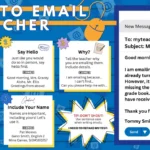
- Subject Line: Start with a concise subject line that summarizes the help you need. This allows the recipient to prioritize your email effectively.
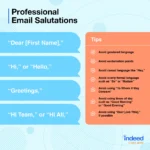
- Salutation: Use a polite greeting, addressing the recipient by name if possible. This personalizes your message and sets a friendly tone.
- Introduction: Briefly introduce yourself if the recipient may not know you. State your relationship to the person or organization relevant to your request.
- Clear Description of the Issue: Explain the problem you’re facing in straightforward language. Provide enough detail to give context but avoid unnecessary information. Be specific about what you need help with.
- Relevant Information: Share any important details, such as deadlines or previous attempts to solve the issue, that the recipient may need to assist you effectively.
- Request for Action: Clearly specify what you are asking for. Whether it’s advice, a specific resource, or a meeting, make your request easy to identify.
- Closing: Thank the recipient for their time and consideration. A polite closing fosters goodwill and encourages a positive response.
- Signature: Include your name and relevant contact information. This makes it easy for the recipient to reach out to you.
| Element | Description |
|---|---|
| Subject Line | Concise summary of the request for assistance. |
| Salutation | Polite greeting addressing the recipient. |
| Introduction | Your self-introduction and relevance to the recipient. |
| Clear Description | Detailed explanation of the problem you’re facing. |
| Relevant Information | Any additional context or details necessary for assistance. |
| Request for Action | Clear articulation of what help you need. |
| Closing | A thank you or concluding remark. |
| Signature | Your name and contact information. |
When following this structure, you enhance the likelihood of receiving a timely and helpful response. For those using Outlook, consider this resource on delaying email sends to optimize your communications.
Real-World Applications for Writing Emails When Seeking Help
Clear Subject Line for Immediate Context
Writing a subject line that summarizes the issue can help the recipient understand your need for assistance right away. For instance, using "Request for Support on Project X Deadline" gives context immediately.
Why this matters: Highlighting the issue at a glance allows the recipient to prioritize responses and aids in quicker resolutions.
Polite Greeting to Set a Friendly Tone
Starting the email with a courteous salutation such as "Dear [Name]" or "Hello [Team]" establishes a respectful tone that encourages cooperation and goodwill.
Why this matters: Stating your respect for the recipient fosters a positive atmosphere, making them more inclined to assist you.
Concise Description of the Problem
Providing a brief but clear explanation of the issue without unnecessary details helps the reader understand your situation quickly. For example, "I'm encountering an error when trying to save changes in the software." can be very effective.
Why this matters: Keeping the explanation straightforward avoids confusion and saves time for both parties, enhancing the chances of receiving useful help.
Specific Request for Assistance
Stating exactly what you need, such as "Could you provide guidance on troubleshooting this issue?" offers clarity and directs the reader on how they can assist you.
Why this matters: Asking for specific help allows the recipient to focus their response, streamlining communication and making it easier for them to provide the info you require.
Offering Availability for Follow-Up
Including your availability can help set up a time for further discussion, like "I'm available for a call this week after 2 PM." This shows that you're engaged and open to dialogue.
Why this matters: Providing your schedule encourages timely follow-ups and conveys a willingness to collaborate, which can facilitate quicker resolutions.
Closing with Gratitude
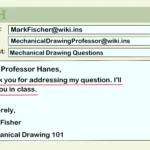
Ending the email with a thank-you note, such as "Thank you for your time and assistance," expresses appreciation and reinforces a positive interaction.
Why this matters: Stating gratitude leaves a favorable impression, making it more likely for the recipient to respond kindly and promptly.
Contact Information for Easy Response
Including your phone number or alternative email at the end ensures that the recipient can easily reach you for further clarification or discussion.
Why this matters: Providing multiple contact options facilitates communication and shows that you value their input, making it simpler for them to help you.
Understanding Your Email Needs for Assistance
What should I include in an email asking for help?
Start with a clear subject line indicating your need for assistance. In the body, succinctly explain your issue, provide relevant details, and specify what kind of help you are seeking. This clarity helps the recipient understand your situation quickly.
How formal should my email requesting help be?
The formality of your email should match your relationship with the recipient. If you are writing to a colleague, casual language works; for a supervisor or external contact, maintain a professional tone. Aim for respect and clarity regardless of the level of formality.
What if I don't get a response to my help request?
If there’s no reply after a reasonable time, consider following up politely. Reference your initial email and reaffirm your request. This shows your commitment and might prompt a response from the recipient.
How can I make my email stand out when asking for help?
Personalize your message by addressing the recipient by name and mentioning any prior interactions. Briefly explain why you chose to reach out to them specifically, emphasizing any relevant experience they have that relates to your issue.
When you find yourself needing assistance, remember that a clear and respectful message often opens doors. Whether you're reaching out to a colleague or a customer service team, putting some thought into your email can make all the difference. Clearly stating what you need and showing appreciation can go a long way. So, don’t hesitate to ask for help — just take a moment to express your thoughts, and you’ll be surprised at how willing others are to lend a hand. Give it a try, and you'll likely find the support you need waiting for you.