When it comes to organizing a training schedule, the way you communicate matters. A well-structured email can make all the difference in ensuring that everyone is on the same page, feels engaged, and knows what to expect. Whether you're coordinating a small team workshop or a large-scale seminar, clarity and tone are your best friends.

People appreciate when communication is straightforward and respectful of their time. By taking a moment to clearly outline the specifics—like dates, times, and objectives—you signal your respect for their schedules and your commitment to the training's value. This isn't just about logistics; it's about fostering a culture of collaboration and enthusiasm for learning.
Remember, the email you send can either spark excitement or induce confusion. Knowing how to express your goals and expectations can turn a simple notification into an opportunity to engage your audience. This is crucial in retaining their interest and commitment to participating.
Core Elements of Scheduling Training Emails
Writing an email for a training schedule requires clear communication and attention to detail. By focusing on essential elements, you can ensure your message is understood and encourages participation. Here’s a breakdown of what to include:
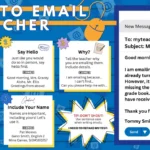
- Subject Line: This should be direct and informative. Specify the nature of the training, e.g., “Upcoming Training Schedule for [Subject].”
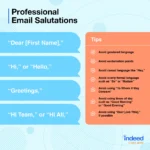
- Greeting: Start with a friendly salutation, addressing the recipients appropriately, such as "Dear Team" or "Hello [Name]."
- Purpose of the Email: State why you're writing right away. Clearly mention the training, its importance, and who it’s for.
- Training Details: Provide a summary of the schedule including dates, times, locations, and the training format (in-person or virtual). Use a table for clarity:
| Date | Time | Location | Format |
|---|---|---|---|
| MM/DD/YYYY | HH:MM AM/PM | [Location Name/Link to Virtual] | [In-Person/Virtual] |
| MM/DD/YYYY | HH:MM AM/PM | [Location Name/Link to Virtual] | [In-Person/Virtual] |
- Additional Information: Include any prerequisites, materials needed, or registration links if applicable.
- Call to Action: Encourage recipients to confirm their attendance or ask questions. Provide your contact information for any inquiries.
- Closing: End with a polite sign-off, such as “Best regards” or “Thank you,” followed by your name and title.
Keep the tone professional yet approachable. This balances authority with a personable touch, helping build rapport.
For those using Outlook, consider checking how to delay sending your emails to ensure they arrive at just the right moment.
Real-World Applications of Writing an Email for Training Schedules
Clearly Stating the Purpose
Begin your email by explicitly stating its purpose, such as "I am writing to schedule our upcoming training session." This leaves no room for ambiguity and sets the tone for the rest of the communication.
Why this matters: Stating the purpose upfront helps recipients understand the email's context quickly, ensuring they focus on the essential details right away.
Including Dates and Times
List potential dates and times for the training, allowing recipients to see all options clearly. For example, "Please let me know your availability for training on October 5, 6, or 7 at 10 AM."
Why this matters: Providing specific dates and times helps streamline the scheduling process, reducing unnecessary back-and-forth communication and enabling quicker decisions.
Offering Flexible Options
Suggest alternative formats or timing, such as “If none of these dates work, I’m happy to accommodate evening sessions or additional days next week.”
Why this matters: Offering flexibility increases the likelihood that everyone can participate, fostering a collaborative atmosphere and more effective training outcomes.
Highlighting Training Objectives
Briefly outline what the training will cover, for instance, "This session will focus on improving our customer service skills and enhancing team collaboration."
Why this matters: Highlighting the objectives creates interest and demonstrates the training's relevance, encouraging participation from all involved.
Emphasizing Participation Importance
Encourage prompt responses by stating, "Your participation is crucial to our team's success; please respond by the end of the week."
Why this matters: By emphasizing the importance of responses, you create a sense of urgency, prompting quicker replies and better attendance planning.
Offering Calendar Invitations
Propose sending calendar invites once the schedule is confirmed, making it easier for participants to reserve the time on their calendars.
Why this matters: Offering to send calendar invites simplifies the process for recipients, ensuring they don’t forget about the training and helps in tracking attendance.
Providing Follow-Up Instructions
End your email by stating how participants can reach out if they have questions, like “Feel free to contact me directly if you have any concerns about the scheduling.”
Why this matters: Providing clear follow-up instructions fosters open communication, making it easier for participants to engage with the training process.
Crafting Your Training Schedule Email
What should I include in my training schedule email?
Start by clearly stating the purpose of the email, outlining the training details such as dates, times, and locations. Mention any prerequisites or materials needed, and don’t forget to include a call to action, prompting recipients to confirm their attendance.
How do I make my email engaging for the training participants?
Use a friendly yet professional tone, and personalize the message if possible. Including a brief overview of what participants will gain from the training can increase interest, making it relevant to their roles or responsibilities.
When is the best time to send a training schedule email?
Aim to send your email at least two weeks in advance, which allows recipients enough time to adjust their schedules. Depending on your audience, sending the email on a Tuesday or Wednesday might improve the chances of it being noticed.
How can I follow up if I don't receive responses?
If there’s no response after a week, a gentle reminder can go a long way. You can send a brief email reiterating the key details and asking if they have any questions or need further information.
When you're reaching out to share a training schedule, clarity and friendliness make all the difference. An inviting, straightforward email encourages participation and ensures everyone is on the same page. So, take a moment to polish your message, keep it warm, and don’t hesitate to reach out if you have any questions. You’ve got this, and your thoughtful approach will surely resonate with your team. Happy emailing!