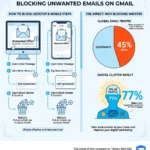
Let's be real: your inbox feels like a never-ending spam festival, right? Emails piling up, and the unsubscribe links are often buried. You find yourself spending way too much time sorting through offers you never asked for. It’s frustrating, and you're not alone in this battle. 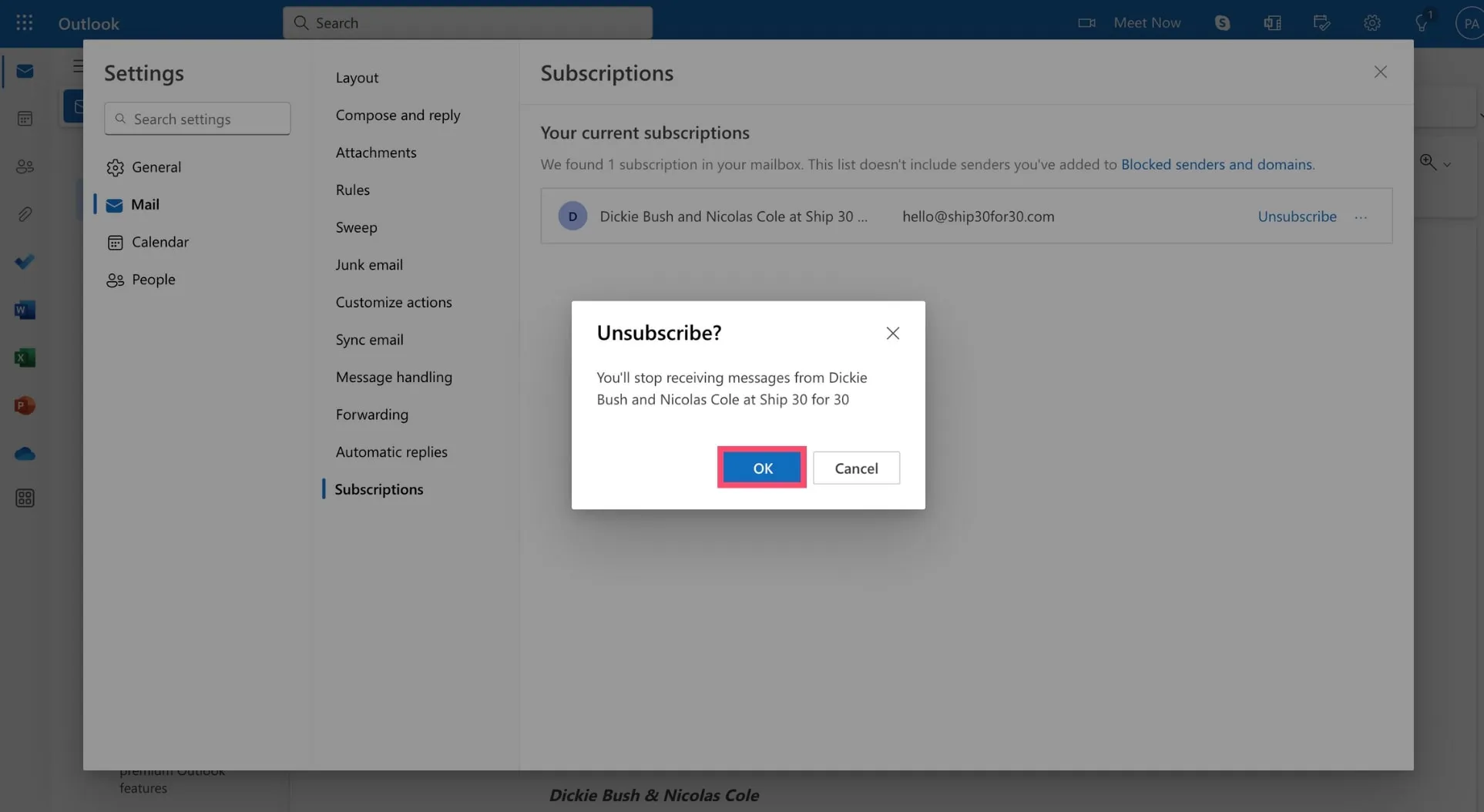 Finding a way to clear the clutter not only saves time, but it also helps you focus on what truly matters—like those important messages that get lost in the chaos.
Whether you want to reclaim your day or just declutter the digital mess, getting a handle on those pesky emails can make a big difference. Imagine opening your inbox and seeing only the messages that speak to you or that you truly care about. It’s not just about unsubscribing; it's about regaining control of your digital life.
This is not just some techy task; it’s a small act of self-care in an increasingly hectic world. Ready to do something about it? Let’s get started.
Core Elements of Unsubscribing from Emails in Bulk
Removing yourself from unwanted email subscriptions can significantly declutter your inbox and enhance productivity. Here’s how to accomplish this efficiently.
- Identify Your Subscriptions: Start by determining which newsletters or promotional emails crowd your inbox. A simple search using keywords like "unsubscribe" can help reveal these emails quickly.
- Utilize Unsubscribe Links: Most legitimate emails include an "unsubscribe" link, often located at the bottom. Click this link and follow the prompts to remove yourself from that list.
- Third-Party Services: Consider using services like Unroll.me or Cleanfox. These platforms can scan your inbox, list your subscriptions, and allow you to unsubscribe from multiple sources at once with a single click.
- Email Client Features: Some email providers offer built-in tools for managing subscriptions. For instance, Gmail has features that identify promotional emails and provide bulk unsubscribe options.
- Bulk Action Options: If you're using platforms like Outlook, you can select multiple emails and use bulk actions to delete or move them to another folder, making it easier to focus on important messages.
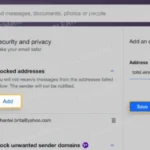
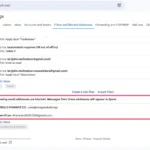
- Filter and Block: For persistent senders, block or filter emails based on specific criteria. This keeps your inbox cleaner without the need to unsubscribe from every service.
- Review Periodically: Regularly audit your inbox to ensure you're subscribed only to relevant communications, adjusting your email preferences as necessary.
| Method | Advantages | Disadvantages |
|---|---|---|
| Unsubscribe Links | Directly removes subscriptions | Can be time-consuming if many emails |
| Third-Party Services | Efficient for bulk unsubscribing | Privacy concerns with data access |
| Email Client Features | Built-in tools save time | Dependent on email provider capabilities |
| Filters and Blocks | Keeps unwanted emails from reaching inbox | Doesn't remove from mailing lists |
For additional insights on managing your inbox, check out how to block an email in Outlook.
Practical Ways to Unsubscribe from Emails in Bulk
Utilizing Built-in Unsubscribe Options
Many email services, like Gmail and Outlook, provide a built-in unsubscribe option at the top of promotional emails. By clicking this link, users can remove themselves from mailing lists directly.
Why this matters: Highlighting the convenience of this feature helps users quickly reduce email clutter without needing to navigate complex settings.
Employing Third-party Unsubscribe Tools
Tools such as Unroll.me allow users to connect their email accounts and view all subscriptions in one place. From here, bulk unsubscribing is as simple as selecting the emails to remove.
Why this matters: Providing a streamlined interface enhances user experience by simplifying the process of managing multiple subscriptions.
Filtering and Organizing Emails
Setting up filters in email clients enables users to categorize promotional emails into separate folders. Once organized, unsubscribing from these emails can be done in bulk.
Why this matters: Stating the benefit of organization lets users efficiently manage their inbox while allowing for easy unsubscribe actions on grouped emails.
Using Native Email Client Features
Email clients often offer the ability to view all recent subscriptions or mailing lists. Users can leverage these features to unsubscribe from multiple emails simultaneously.
Why this matters: Asking users to utilize built-in features enables them to stay on top of their email management without external tools.
Manual Batch Unsubscribe via Email Search
Users can search for keywords like "unsubscribe" within their inbox to compile a list of newsletters and promotional emails. From there, they can manually unsubscribe from each.
Why this matters: Providing a clear method for searching empowers users to take control of their inbox and identify precisely which subscriptions to eliminate.
Mobile App Unsubscribe Features
Many email apps now come with features for bulk unsubscribing. Users can tap into these features to quickly reduce their subscriptions directly from their mobile devices.
Why this matters: Highlighting mobile accessibility shows users they can manage their email subscriptions on-the-go, enhancing convenience.
Utilizing Email Aliases
Creating separate email aliases for different purposes allows users to control what type of emails they receive. Periodically, they can delete the alias accounts, effectively unsubscribing from all associated emails at once.
Why this matters: By keeping communication organized through aliases, users proactively manage the influx of promotional content without the hassle of traditional unsubscribing.
Managing Your Inbox: Unsubscribing from Emails
How can I unsubscribe from multiple email lists at once?
You can use unsubscription services like Unroll.Me or Cleanfox. These tools allow you to log in with your email account and easily see all your subscriptions. Simply select the ones you want to unsubscribe from, and the service takes care of the rest.
Is there a way to unsubscribe manually from many emails without doing it one by one?
What should I do if I can't find the unsubscribe link?
If the unsubscribe link isn't visible, check the email settings or contact their support. Some emails are tricky and may not provide easy opt-out options, so reporting them as spam to your email provider is another route to consider.
Are there legal requirements for emails to include an unsubscribe option?
Yes, laws like the CAN-SPAM Act in the U.S. require commercial emails to include a clear and conspicuous unsubscribe option. If you notice emails lacking this option, it could be a violation of these regulations.
Taking the time to unsubscribe from emails in bulk can be a game changer for your inbox. It not only helps declutter your digital life but also allows you to focus on what truly matters. So, whether you choose to use built-in features or apps designed for this purpose, prioritizing your email environment can significantly enhance your productivity. Now that you know how to clear out those unwanted messages, why not jump over to your inbox and start making space for the communications that really count? You’ll feel lighter—and your inbox will thank you!