Your email inbox should feel like a safe space, not a battleground of unwanted messages. If you've found yourself overwhelmed by relentless emails from someone you wish to avoid, you're not alone. The ability to block someone on Yahoo Mail provides the relief many of us are looking for.

It's not just about peace of mind; it’s about taking control of your digital life. Whether it’s a persistent spammer or a former acquaintance, knowing how to handle this aspect of your online experience is essential. Let’s look at how easy it can be to cut ties with unwanted contacts in Yahoo Mail.
Understanding the Process of Blocking an Email Sender on Yahoo
Blocking someone on Yahoo Mail is a straightforward process that can shield your inbox from unwanted messages. Here’s what you need to know to manage your email communications effectively.
- Accessing Settings: Start by logging into your Yahoo Mail account. Look for the gear icon, typically located in the upper right corner, and click on it to open the settings menu.
- Navigate to Security: From the settings menu, find and select "More Settings." This will take you to the configuration options where you can manage various aspects of your account.
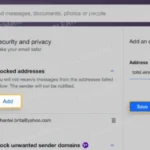
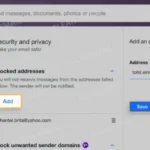
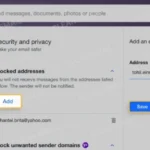
- Block Addresses: In the left sidebar, locate "Security and Privacy." Under this section, you will find the option to block email addresses. Input the sender’s email address you wish to block and hit "Enter" to confirm.
- Save Changes: Make sure to save your changes once you’ve added the email address to your block list. This will prevent any future messages from that sender from entering your inbox.
| Action | Details |
|---|---|
| Log In | Access your Yahoo Mail account. |
| Open Settings | Click the gear icon and select "More Settings." |
| Access Security | Select "Security and Privacy" from the left menu. |
| Add to Block List | Input the email address you want to block and save the changes. |
- Retrieving Blocked Emails: If you need to review any blocked emails, you can find them in your trash folder. Keep in mind that these messages will be deleted after a certain period.
- Unblocking Senders: The process to unblock someone is just as simple. Go back to the same settings area and remove the email from the block list to allow future messages.
- Considerations: Blocking an email address doesn’t automatically prevent the sender from reaching you through alternative means, such as social media or phone.
Blocking unwanted emails not only helps in maintaining a clutter-free inbox but also enhances your online peace of mind. If you're also navigating issues with blocked emails in Gmail, check out this relevant article: How To Unblock Email On Gmail For Better Communication.
Real-World Use Cases for Blocking Someone on Yahoo Email
Eliminating Spam and Unwanted Offers
Users often receive repetitive emails from the same sender promoting irrelevant products or services. By blocking these senders, one can stop the influx of unsolicited messages in their inbox.
Why this matters: Stating that spam can clutter your inbox emphasizes the importance of maintaining an organized email environment.
Protecting Personal Privacy
If a user is receiving harassment or intrusive messages from someone, blocking that sender directly prevents further unwanted communication and enhances personal safety.
Why this matters: Highlighting that blocking a sender can safeguard personal privacy demonstrates a proactive approach to online interactions.
Filtering Out Disruptive Contacts
Blocking individuals who engage in negative conversations or toxic exchanges allows users to focus on constructive correspondence, improving overall communication quality.
Why this matters: Providing clarity on how blocking disruptors can lead to healthier conversations underscores the significance of emotional well-being in digital spaces.
Reducing Phishing Attempts
Users can encounter phishing emails that pose as legitimate sources. By blocking these senders, they can reduce their risk of exposing personal information to malicious attacks.
Why this matters: Asking why cybersecurity is essential highlights the importance of protecting sensitive data in online environments.
Managing Communication with Former Colleagues
Sometimes, users may wish to sever communications with former coworkers who have become a source of workplace stress. Blocking can help them move on professionally.
Why this matters: Stating that this action can facilitate a smoother transition reinforces the emotional aspects of workplace relationships.
Avoiding Repetitive Notifications
If a user subscribes to newsletters or services that send excessive emails, blocking specific senders helps to minimize distractions and maintain focus.
Why this matters: Highlighting the need for reduced distractions emphasizes the value of a streamlined email experience.
Enhancing Family and Friend Communication
A user might need to block an acquaintance who is uninvitedly reaching out to close friends or family, thereby ensuring those contacts only hear from trusted sources.
Why this matters: Providing insights into fostering secure family interactions illustrates the importance of safeguarding personal networks.
Resolving Issues with Yahoo Email Blocking
How do I block an email sender on Yahoo?
To block a sender, open an email from the person you want to block. Click on the three dots in the upper right corner of the email, then select "Block Sender." Confirm your action, and emails from that address will be routed to your Spam folder.
Can I unblock someone after I’ve blocked them on Yahoo?
Yes, you can easily unblock someone. Go to your Yahoo Mail settings, then navigate to "Blocked Addresses." From there, find the email address you want to unblock and select the option to remove the block.
Will blocking someone on Yahoo stop them from seeing my emails?
Blocking someone on Yahoo doesn't stop them from seeing your emails if you've previously communicated with them. However, their future emails will be moved to the Spam folder, making them less visible to you.
What should I do if blocked emails still arrive in my inbox?
If blocked emails continue to appear, check your Spam folder settings and ensure that the sender is indeed on your blocked list. Sometimes, you may need to refresh or adjust your blocking settings to ensure it’s functioning correctly.
Blocking someone on Yahoo Mail is a straightforward way to regain control of your inbox and ensure that you only receive messages that matter to you. It's all about creating a space where you feel comfortable and not overwhelmed by unwanted communication. If you're dealing with a persistent sender, taking this step can truly lighten your digital load. Remember, it's your email account—make it work for you! If you find yourself needing to reverse this action later, unblocking is a breeze. So go ahead, take that step, and enjoy a more peaceful email experience.