Changing your email on your Amazon account might seem like a small task, but it can significantly impact your online shopping experience and account security. If you’ve recently changed your email address or simply want to update it for better management, you’re in the right place. 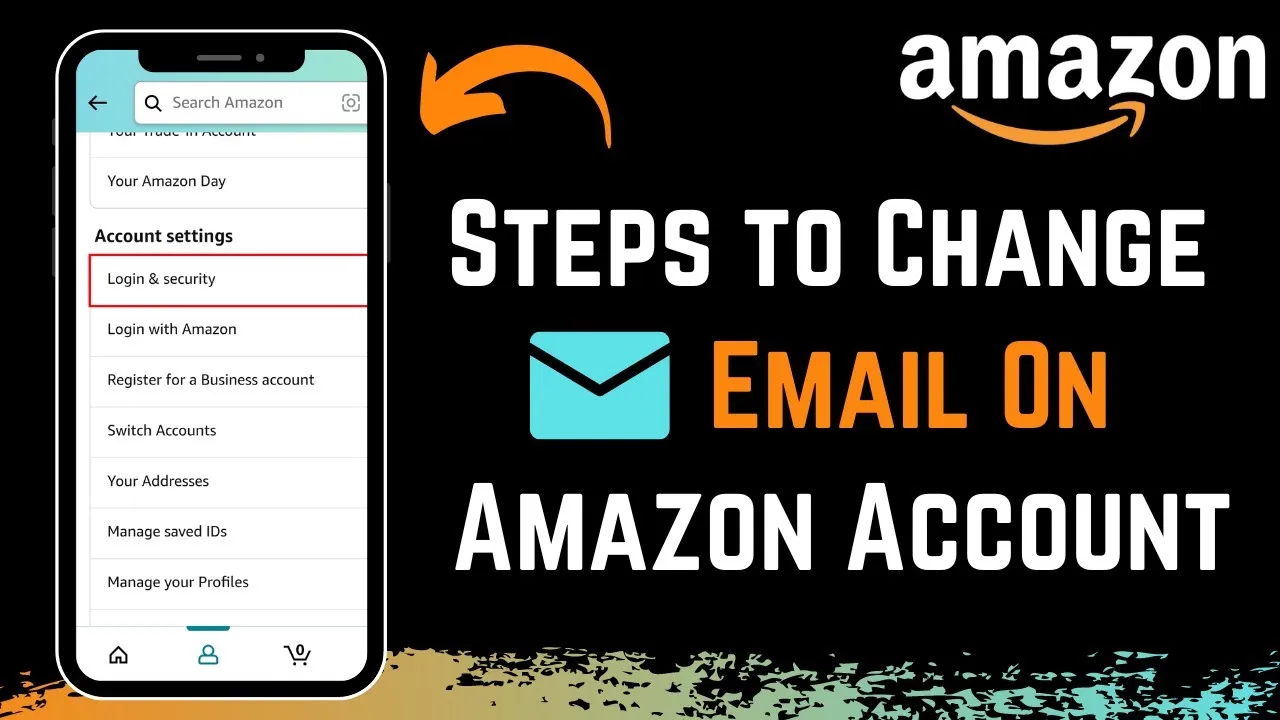 This process is straightforward but worth getting right to ensure you stay connected to important order updates and account notifications.
In a world where online accounts constantly demand attention, managing your email address is just one piece of the puzzle. Whether it's for safety reasons or simply to keep things organized, knowing how to make this change can save you from future headaches down the road.
Let’s break down exactly how you can update your email with ease. With just a few steps, you’ll have your account information up-to-date and ready for uninterrupted access.
Core Elements of Changing Your Email in an Amazon Account
Changing the email address linked to your Amazon account is a straightforward process that involves a few essential steps. It’s important to ensure that your account details are accurate to maintain access to your purchases, account settings, and notifications.
Steps to Change Your Email Address
Here’s a breakdown of the process:
- Log In: Sign in to your Amazon account using your current email and password.
- Navigating to Your Account: Hover over the "Accounts & Lists" menu at the top right of the page and click on "Your Account."
- Account Settings: Locate the "Login & Security" option and select it. This section allows you to modify your login details.
- Edit Your Email: Click on the "Edit" button next to your email address. Enter your new email address in the provided field.
- Verification: Amazon usually sends a verification email to your new address. Check your inbox and follow the confirmation link to finalize the change.
- Finalizing Changes: After verification, return to the "Login & Security" page to ensure your new email is listed. This will help you manage your account moving forward.
Considerations Before Changing
Before making this change, keep the following in mind:
| Consideration | Explanation |
|---|---|
| Access to Old Email | Ensure you still have access to your old email for verification, if required. |
| Notification Settings | Check if your notifications are linked to the old email and update them accordingly. |
| Account Security | Consider updating your password for added security once you change the email. |
Benefits of Keeping Your Email Up to Date
Maintaining an updated email address can enhance your Amazon experience. Here are some benefits:
- Improved Communication: Receive order notifications, shipping updates, and promotional emails without interruption.
- Account Recovery: An updated email helps in account recovery in case you forget your password.
- Secure Transactions: Stay informed about any unusual activity related to your account.
For users who may wish to remove email accounts from other devices, consider checking out our article on removing email accounts from iPhones for a seamless device management experience.
Practical Use Cases for Changing Your Amazon Email Address
Updating Communication Preferences
Changing your email allows you to receive important notifications about orders and promotions at a location you check more frequently.
Why this matters: Stating that the right email ensures you never miss crucial communications can enhance your overall shopping experience with Amazon.
Maintaining Account Security
Switching to a more secure email can help protect your account from unauthorized access as you can choose a provider with better security features.
Why this matters: Highlighting the significance of account safety encourages you to proactively manage your online presence and reduce risks.
Consolidating Email Accounts
Using a single email address for your Amazon account can simplify how you manage your online transactions, thereby reducing confusion.
Why this matters: Providing a streamlined approach to managing multiple accounts can enhance your efficiency in online shopping.
Recovering from Forgotten Passwords
Changing the email associated with your Amazon account helps if you're unable to access your original email to reset your password.
Why this matters: Asking yourself how to regain access to your account can lead to a more seamless online experience.
Changing Email Platforms
If you've switched to a new email service provider, updating your Amazon email will ensure you continue receiving updates and orders in a platform you prefer.
Why this matters: Highlighting your preferences can improve your overall satisfaction when interacting with the Amazon platform.
Enhancing Privacy Settings
Updating your email allows you to use a more private or less recognizable email address, helping to keep your shopping habits confidential.
Why this matters: Providing a layer of anonymity aids in protecting your personal information while shopping online.
Improving Organization in Your Inbox
Changing your email address can help you keep Amazon-related communications separate from your personal or work emails, allowing for better organization.
Why this matters: Stating that improved organization contributes to a clearer overview of your orders and promotions can enhance your online experience.
Changing Your Email Address on Amazon: What You Need to Know
What do I need to do before changing my email address on Amazon?
Before you switch your email address, ensure you have access to your current email and your Amazon account. It’s crucial to verify your identity, as Amazon may send you a confirmation link that you’ll need to click to complete the process.
How do I change the email address linked to my Amazon account?
To change your email address, log in to your Amazon account, go to "Your Account," and select "Login & security." Click on "Edit" next to your email address, enter your new email, and follow the prompts to confirm the change. Check your new email for a verification link to finalize the update.
Why can't I change my email address on Amazon?
If you can't change your email address, it might be due to an issue with your account settings, or you may need to verify your current email. Ensure your account is in good standing and that you aren’t experiencing any temporary issues with Amazon's servers.
What happens to my order history when I change my email on Amazon?
Your order history will remain intact when you update your email address. The email change only affects how you log in and receive notifications, but your account's history and preferences are preserved in the process.
Changing your email address on your Amazon account is a straightforward process that can enhance your online shopping experience and ensure better communication. Just remember, it's crucial to have access to your new email for verification purposes. If you're ever feeling stuck, don't hesitate to revisit the steps we discussed; it's easier than it seems! Whether you're updating for security reasons or simply because you got a new email provider, taking that step will keep your account secure and ready for your next purchase. Go ahead and make that change—you've got this!