Setting up a business email is more than just clicking a few buttons; it's about establishing credibility and making sure your communications stand out. Your email is often the first impression customers and partners get of your business, so it needs to look professional and reflect your brand.

Whether you're launching a new venture or enhancing an existing one, a well-crafted email can make all the difference. In a world where everyone is inundated with messages, having your own domain not only boosts your legitimacy but also gives you control over your communication flow.
If you've been using generic email services, moving to a business email can feel like taking a big step. But it's an important one that’s easier than you might think. Let’s explore how you can set this up efficiently and effectively, ensuring your business leaves a lasting impression.
Core Elements of a Business Email
When it comes to sending a business email, the structure can make a significant difference in how your message is received. A well-organized email not only conveys professionalism but also ensures clarity. Here’s a breakdown of the essential components you need to consider.
- Subject Line: This should be concise yet informative. It acts as a hook to draw the reader in. For example, instead of "Meeting," try "Quarterly Review Meeting on October 15."
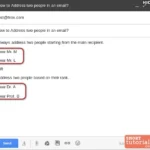
- Salutation: Begin with a formal greeting. Address the recipient by their name (e.g., "Dear Ms. Johnson") unless you’re in a very casual setting. If unsure, "Hello" or "Hi" can work well for most contexts.
- Introduction: Start with a brief introduction or context for your email. State your purpose clearly right away, so the recipient knows what to expect.
- Main Content: This is where you flesh out your message. Use short paragraphs and bullets for clarity. Focus on one subject per paragraph to avoid overwhelming the reader.
- Call to Action: Clearly outline what you want the recipient to do after reading your email. Whether it's scheduling a meeting, providing feedback, or any other action, make it evident.
- Closing: End on a polite note. Use a warm closing like "Best regards" or "Sincerely," followed by your name and position.
- Signature: Include additional details like your phone number, company website, and social media links if applicable. This provides the recipient with multiple ways to connect with you.
| Section | Description |
|---|---|
| Subject Line | Quickly summarizes the email's purpose. |
| Salutation | Formal greeting to establish professionalism. |
| Introduction | Briefly introduces the email's intention. |
| Main Content | Details the core message with clarity. |
| Call to Action | Specifies next steps the recipient should take. |
| Closing | Conveys polite farewell. |
| Signature | Provides contact information and additional links. |
Each component plays a vital role in ensuring your email is not only received but also enhances your professional image. Understanding these core elements helps in drafting messages that are clear and actionable, improving overall communication. Remember to tailor your language and tone to fit your audience, as this can impact the effectiveness of your communication.
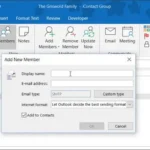
For more on improving communication, check out our article on creating an email group in Outlook.
Real-World Examples of Creating a Business Email
Utilizing Domain Customization
Creating an email address using your own domain name, such as [email protected], enhances your brand's professionalism and credibility.
Why this matters: Highlighting a unique domain strengthens brand identity and fosters trust among clients and partners.
Implementing Professional Signatures
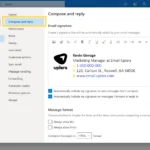
Including a well-designed email signature at the end of each message provides recipients with vital contact information and conveys professionalism.
Why this matters: Providing cohesive branding elements in emails reinforces your business image with every interaction.
Utilizing Filters and Folders
Setting up filters in your email allows for automatic organization of incoming messages into designated folders, streamlining workflow and enhancing productivity.
Why this matters: By keeping your inbox organized, you minimize clutter and ensure that important communications are easily accessible.
Using an Email Management Tool
Employing tools like Mailchimp or HubSpot can assist in managing email campaigns, tracking responses, and optimizing outreach based on analytics.
Why this matters: Asking for data insights enables you to refine your outreach efforts, enhancing engagement rates over time.
Implementing Security Measures
Using two-factor authentication (2FA) adds an extra layer of security to your business email accounts, protecting sensitive information from unauthorized access.
Why this matters: Stating the importance of security minimizes the risk of data breaches, which can have serious ramifications for your business reputation.
Creating Email Groups for Teams
Setting up email groups allows for seamless communication among team members, enabling efficient collaboration and information sharing.
Why this matters: Providing channels for group communication reduces miscommunication and fosters a more cohesive work environment.
Scheduling Emails for Optimal Timing
Using scheduling features ensures that emails are sent at the most appropriate times for recipients, improving open and response rates.
Why this matters: Highlighting optimal communication timings increases the likelihood of engagement, thereby driving better results from your outreach efforts.
Crafting Your Professional Business Email
What domain name should I use for my business email?
Your domain name should reflect your business name or its services. It’s best to choose a name that’s easy to remember and spell, ensuring it aligns with your brand identity.
What email hosting options are available for businesses?
Several reliable email hosting options exist, including Google Workspace, Microsoft 365, and Zoho Mail. Each platform offers different features, so consider what aligns best with your team's needs.
How do I set up email accounts for my team?
Once you've chosen an email hosting service, you can typically set up accounts through the provider's admin panel. You’ll need each team member’s name and a preferred email address format to get started.
How do I ensure my emails look professional?
To maintain professionalism, use a clean design with your branding, avoid excessive graphics, and keep the text concise. Using an email signature that includes your contact information and company logo also elevates your emails.
Choosing the right business email can really set the tone for your communications and strengthen your professional image. Remember, clarity and professionalism go a long way; it’s not just about sending messages but also about building relationships. So, take a moment to assess your email approach and don't hesitate to make it reflect your brand. If you’re managing an inbox, check out how to create an email group in Outlook for easier and more effective communication. You’ve got this — go ahead and take that next step!