Ever wondered if someone can tell when you've forwarded their email? This question can stir up concerns about privacy and trust, especially in professional settings. Knowing the answer can help you navigate those tricky conversations and safeguard your relationships.
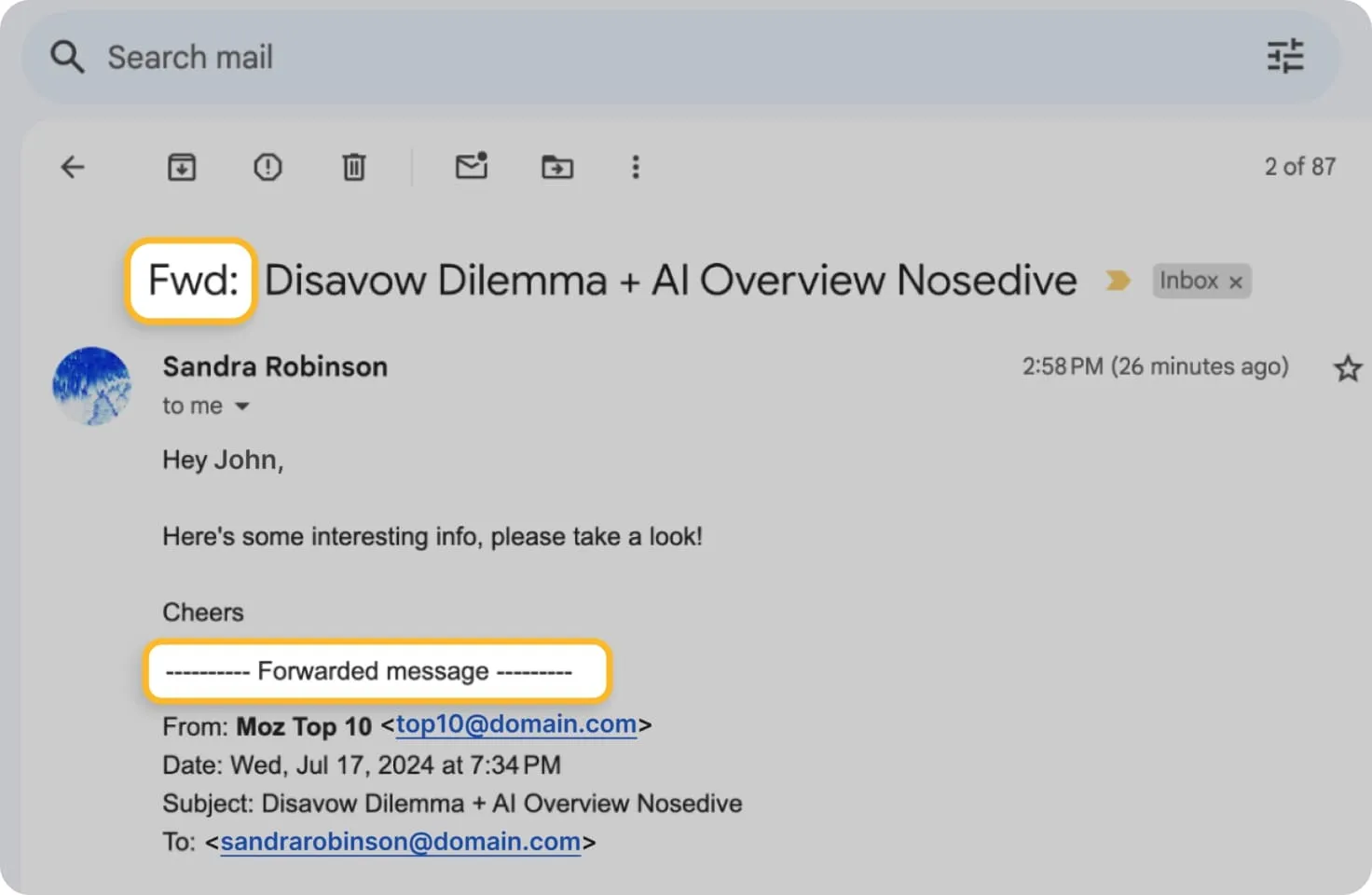
In many cases, the sender doesn’t get a notification when their email is forwarded. However, subtle signs—like changes in formatting or missing original recipients—can raise suspicions. Understanding these nuances is crucial for transparency and respect in communication.
Whether you're managing a team, collaborating with colleagues, or simply staying connected, being aware of email etiquette is vital. The last thing you want is to inadvertently jeopardize a relationship because of a misunderstood email. So, let’s break this down and address the burning questions around forwarding emails.
Understanding Email Forwarding Visibility
When you forward an email, the original sender typically cannot see that their message has been forwarded. However, there are several nuances and factors that can change this outcome. Below are the core elements to consider about forwarding emails and the visibility to senders.
- Standard Email Forwarding: When you forward an email, the original sender does not receive any notification about this action. The email header does not change to indicate that it has been forwarded.
- Reply vs. Forward: If you simply reply to the sender, they will see your response but won't know if you forwarded their message to someone else.
- Email Platforms: Different email services may have unique features that affect visibility. For instance, some corporate email systems may track information on email redirection, but this is less common in personal accounts.
- BCC Feature: If you want to share an email without the original sender's knowledge, using the BCC (Blind Carbon Copy) feature when forwarding can help. The BCC recipients will not see each other's addresses nor be aware of the original sender.
- Email Editing: Editing the email body before forwarding can also mask the action of forwarding, but it doesn’t prevent the sender from eventually noticing if they communicate with the recipients.
| Visibility Factor | Effect on Sender |
|---|---|
| Standard Forwarding | No visibility; sender unaware |
| Using BCC | No visibility; sender unaware |
| Email Platform Features | Varies; some may show tracking |
| Editing Email Content | May mask forwarding, but results vary |
In summary, while typical email forwarding does not notify the sender, variations exist based on the email platform and specific circumstances. Understanding these details can help you navigate email communication more effectively.
For those interested in streamlining communication, check out our article on auto-forwarding emails in Outlook.
Understanding Email Forwarding Visibility
Detecting Forwarded Emails
Some email providers, like Gmail, embed information in the email headers that can indicate whether the email has been forwarded. Users can check the headers for clues regarding the email's trail.
Why this matters: Highlighting the transparency in email forwarding can inform users about their email's exposure and help them manage sensitive information better.
Notification Features in Email Clients
Certain email services offer features that notify original senders when their emails are forwarded. This allows senders to track how their information is distributed.
Why this matters: Stating the importance of awareness encourages responsible sharing practices, fostering trust in email communication.
Privacy Settings and Awareness
Users can adjust privacy settings in email applications, which may restrict notifications about forwarded emails. Understanding these settings empowers users to control their email interactions.
Why this matters: Providing users with control options helps them safeguard their information and tailor their communication preferences according to their needs.
Organizational Policies on Forwarding
Companies often have policies that govern email forwarding, especially regarding confidential information. These policies help protect proprietary data and maintain professional integrity.
Why this matters: Asking organizations to establish clear policies can prevent data breaches and promote a culture of security within the workplace.
Email Signature Disclaimers
Some individuals include disclaimers in their email signatures that ask recipients not to forward the message without permission. This sets a clear expectation about information sharing.
Why this matters: By keeping communication professional, individuals can better manage their interactions and protect their content from unwarranted dissemination.
Tracking Links in Forwarded Emails
When sending emails with embedded tracking links, the sender may receive notifications when the email is forwarded. This includes data on clicks and engagement from new recipients.
Why this matters: Highlighting engagement metrics can provide insights into how far an email has traveled and how many people are interacting with the content.
Third-Party Email Applications
Some third-party email applications provide enhanced tracking features that reveal if an email was forwarded or accessed by other accounts. This can be useful for monitoring important communications.
Why this matters: Stating the availability of advanced tracking options empowers users to make informed decisions about their email management and security.
Understanding Email Forwarding Privacy
Can the original sender know if I forwarded their email?
Generally, the original sender won’t receive a notification automatically if you forward their email. However, if you include a message or modify the subject line, they might suspect that you shared their content.
Are there any email services that notify senders if their email is forwarded?
Most mainstream email services, like Gmail or Outlook, do not provide notifications for forwarded emails. Some specialized or enterprise email systems might have that capability, but it's not common.
If I take screenshots instead of forwarding, can the sender tell?
Taking screenshots won't notify the sender, either. They are not privy to any actions you take outside of their email platform, so they won't have any way of knowing if you captured their information this way.
What are the ethical considerations of forwarding someone else's email?
While it may be technically permissible to forward emails, consider the sender's intent and privacy. If the email contains sensitive or personal information, it’s best to ask for permission before sharing it.
It’s important to know that when you forward someone’s email, there’s a good chance they won’t be notified of that action. They may not see who else is included in the email thread unless you mention it or include them in the forwarding process. If you’re ever uncertain about sharing someone’s message, a quick check-in with them can go a long way in maintaining trust. So, next time you find yourself needing to hit that forward button, just remember to keep communication open and considerate. You've got this!