Have you ever wondered what happens when you hit that forward button on an email? It’s a common situation, yet many are left in the dark about whether the original sender can see who their message gets shared with. Understanding this can change how you communicate, especially in a world where confidentiality matters. 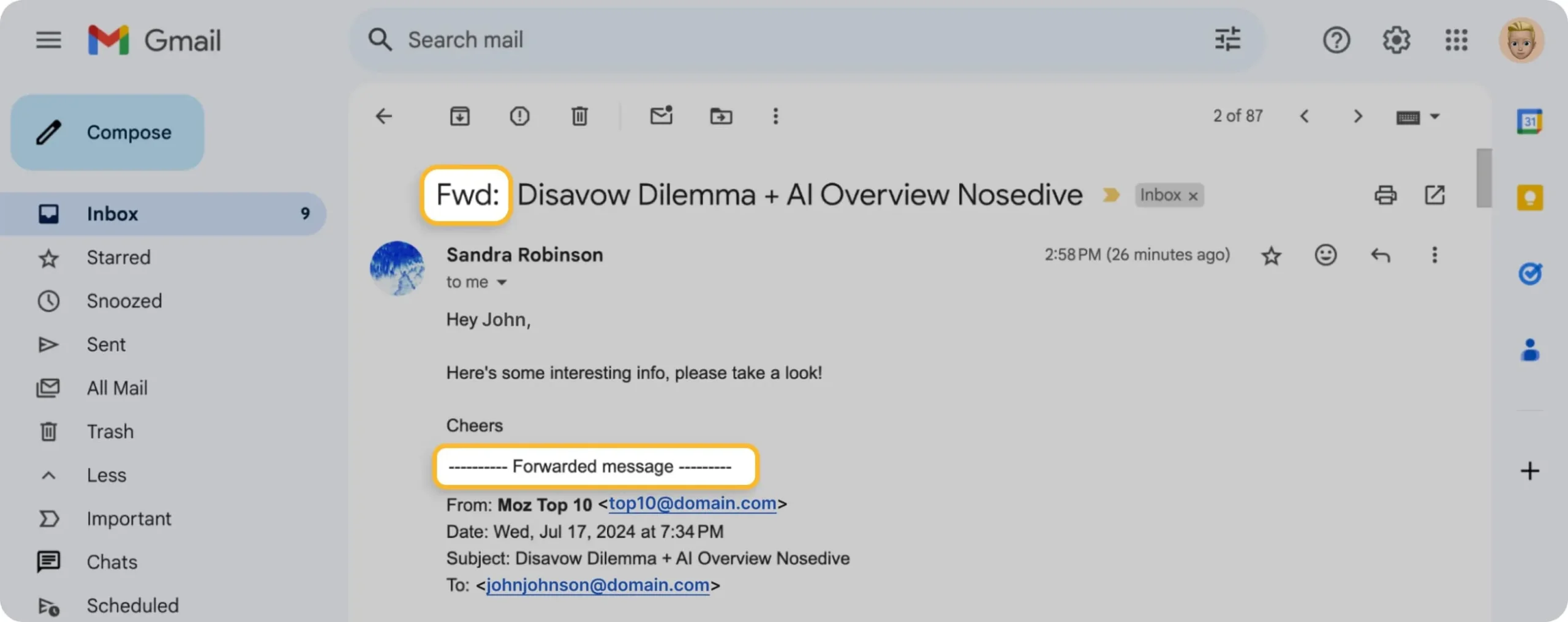
No one wants to end up in an awkward situation where someone feels blindsided by a forwarded message. That’s why getting clear answers on this topic isn’t just about email mechanics; it’s about navigating professional and personal relationships. Whether you’re sharing sensitive information or scrambling to keep everyone in the loop, knowing the ins and outs can be crucial.
So, what’s the real scoop? Can the original sender track who you pass their email along to, or are you free to forward at will? Let's break it down in a straightforward way, so you can feel confident in your email practices.
If you're looking to enhance your email-related skills, check out this article on how to effectively forward email from Gmail for better communication. It can help you streamline the process while keeping your etiquette intact.
Understanding Email Forwarding Insights
When you forward an email, the visibility of that action varies depending on the email service you use. Here’s what happens:
- Recipient Awareness: Generally, when you forward an email, the original sender does not receive notification about the action. This means they won’t know if you’ve shared their message unless you inform them or if the forwarded email includes explicit references.
- Content Visibility: The content of the email you forward is shared with the new recipient. This includes any attachments, links, and the original sender's address unless you edit it out.
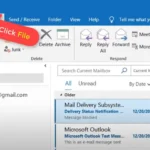
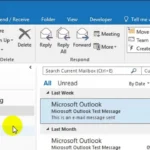
- Email Clients Variance: Different email applications treat forwarding differently. For instance, Gmail and Outlook have unique ways of handling forwarded emails, so the specifics might slightly differ in terms of formatting and additional information displayed.
Here’s a breakdown of what happens during forwarding based on popular email clients:
| Email Client | Sender Notification | Original Email Header |
|---|---|---|
| Gmail | No notification sent | Original header included unless removed |
| Outlook | No notification sent | Usually displays original sender info |
| Yahoo | No notification sent | Headers are included and visible |
| Apple Mail | No notification sent | Original header retained |
Regardless of the client used, always be mindful of the content you choose to share. Misunderstandings can arise if sensitive information is unintentionally disclosed to a third party. If maintaining confidentiality is crucial, it’s best to summarize or seek permission before forwarding.
- Confidentiality Concerns: Understand the context of what you’re forwarding. If the content is personal or sensitive, consider if it’s appropriate to share.
- Chain Reaction: Forwarding to multiple parties can lead to information spreading beyond your control. Once information is out, it can’t be retracted.
For those looking to learn how to forward specifically using Gmail, you might find this relevant: How Can I Forward Email From Gmail For Better Communication.
Understanding Email Forwarding Visibility
Forwarding Indicators in Email Clients
Many email clients, like Outlook and Gmail, provide indicators when an email has been forwarded. This may include changes in the subject line or additional recipients listed in the header.
Why this matters: Highlighting how these indicators appear helps users understand the consequences of forwarding and maintain transparency in communication.
Potential Privacy Concerns
Forwarding emails that contain sensitive information exposes that content to new recipients, who can see the original sender's details. This raises important privacy issues, especially in professional settings.
Why this matters: Providing insight into privacy risks emphasizes the importance of being cautious when sharing forwarded content.
Organizational Policy Compliance
Many organizations have policies regarding email forwarding. For instance, forwarding confidential emails may violate company policy, leading to potential disciplinary actions.
Why this matters: Stating these policies reinforces the necessity of understanding organizational guidelines and adhering to them responsibly.
Tracking Forwarded Emails
Some email services offer tracking features that notify the original sender when their email has been opened or forwarded. This feature provides insight into the email's reach.
Why this matters: Asking how tracking can affect the sender-receiver relationship emphasizes the dynamic nature of modern email communication.
Creating an Audit Trail
Forwarding emails can create an audit trail that helps in maintaining records of correspondence. This feature is particularly useful for legal or professional documentation.
Why this matters: Providing an understanding of audit trails highlights the importance of documentation in organizational communication.
Understanding Email Headers
Email headers reveal information about the email's path, including original sender, recipients, and the forwarding history. This visibility can be crucial for troubleshooting and verifying authenticity.
Why this matters: By keeping awareness of email headers, users can better protect against phishing and spam while ensuring clear communication.
Cultural Perceptions and Expectations
In some cultures or industries, forwarding an email without permission might be viewed negatively, potentially damaging professional relationships. Understanding these perceptions is essential for effective communication.
Why this matters: Highlighting cultural nuances fosters better understanding and respect in diverse work environments.
Your Questions About Email Forwarding
Can the original sender see if I forwarded their email?
Generally, the original sender won't know that you've forwarded their email unless you include them in the forwarding process or respond to them. Most email systems don't notify the sender about a forward on their own.
Is there a way to hide the email addresses of people I forward a message to?
Yes, you can use the BCC (Blind Carbon Copy) field when forwarding an email. This way, recipients won’t see each other's email addresses. Just make sure to choose the correct option for privacy when sending the forwarded message.
What happens if I reply to a forwarded email?
If you reply to a forwarded email, the original sender may see your reply, especially if you reply to all. It’s best to check the recipients field before sending to avoid inadvertently sharing your response with someone you didn't intend to.
Are there any tools or services that can track forwarded emails?
Some email tracking tools can provide insights about forwarded emails, but this depends on the specific service used. Typically, standard email platforms don't offer tracking features for forwarded emails, so be mindful of privacy settings.
When it comes to forwarding emails, it’s important to remember that most recipients won’t see any indication that you’ve shared the message with others. However, always maintaining clarity and considering privacy is a good practice, especially if the original content was meant for select eyes only. So, next time you hit that forward button, think about the implications—it’s all about fostering trust and maintaining clear communication. If you're looking for a refresher on how to manage your inbox more effectively, check out how to forward emails in Gmail for a smoother experience.