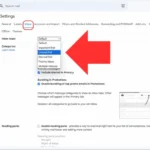
Not getting emails in Gmail can be incredibly frustrating, especially when you're expecting important messages. Whether it’s for work or personal matters, each missing email can add unnecessary stress. You’re not alone—this happens to many people, and there are several reasons behind it.

Sometimes it’s a simple glitch, but other times it might involve deeper settings within your account or even issues with your internet provider. Understanding this can help you take action and get your email flow back on track.
If you’re ready to troubleshoot and reclaim control over your inbox, you’re in the right place. Let’s figure out why those crucial emails aren’t making it to you.
Core Elements of Email Reception Problems in Gmail
Experiencing issues with not receiving emails in Gmail can be frustrating. Several factors may influence why your inbox remains empty. Understanding the different aspects of this issue can help you identify and resolve the problem.
- Spam Filters: Gmail's algorithms may mistakenly classify legitimate emails as spam. Check your Spam folder regularly to see if any important messages have been redirected there.
- Email Forwarding: If you've set up email forwarding, ensure that it's functioning correctly. Sometimes, emails may be redirected to another account, leaving your Gmail inbox empty.
- Storage Limitations: Gmail accounts come with a storage limit. If you're close to this limit, new emails may be rejected. Review your storage usage and delete unnecessary files or emails.
- Blocked Addresses: If you've previously blocked specific senders, their messages won't reach you. Check your blocked list in settings to ensure you're not missing important emails.
- Filters and Labels: Custom filters can inadvertently send emails to designated labels or folders away from the inbox. Review your filter settings to ensure they're set up correctly.
Here's a quick overview of potential causes and their solutions:
| Issue | Potential Cause | Resolution |
|---|---|---|
| Emails going to Spam | Gmail's filters mislabeling | Check Spam folder; mark emails as 'Not Spam' |
| Email forwarding issues | Incorrectly set up forwarding | Verify forwarding settings in Gmail |
| Storage limit | Exceeded storage quota | Free up space by deleting unnecessary emails/files |
| Blocked senders | Sender added to blocked list | Remove sender from block list |
| Filters misdirecting emails | Improperly defined filters | Check filter settings and make corrections |
If these issues seem familiar and none of the above resonate, consider contacting Gmail support to further investigate potential problems that could be account-specific.
Exploring Reasons for Missing Emails in Gmail
Checking Your Spam Folder
Emails might end up in the Spam folder due to Gmail's filtering algorithms, which can mistakenly flag legitimate emails as spam.
Why this matters: By keeping an eye on the Spam folder, you can recover emails that are critical to your communication.
Examining Filters and Rules
Users often set up filters that automatically archive, delete, or move emails to different folders, preventing them from appearing in the inbox.
Why this matters: Highlighting the importance of reviewing these filters allows users to ensure they aren’t unintentionally hiding important messages.
Ensuring Sufficient Storage Space
Gmail accounts have a storage limit; reaching that limit may prevent new emails from being received.
Why this matters: Stating that managing storage space helps maintain an active inbox and ensures all messages are received.
Confirming Email Address Validity
Occasionally, senders may mistakenly send an email to a misspelled address, which means users won’t receive expected communications.
Why this matters: Asking for verification of email addresses can prevent confusion and missed messages in future exchanges.
Reviewing Account Security Settings
Security measures such as two-factor authentication can sometimes complicate email delivery if there are issues with validation.
Why this matters: Providing awareness about security settings allows users to ensure their accounts are accessible and their emails are flowing smoothly.
Checking Connectivity Issues
Intermittent internet access or connectivity issues can prevent Gmail from loading new emails, leading to missed communications.
Why this matters: By emphasizing the importance of reliable connectivity, users can troubleshoot their internet service to avoid interruptions.
Inspecting Email Quotas for Your Account
For workspace accounts, administrators may set quotas, and exceeding them can prevent the receipt of new emails.
Why this matters: By keeping track of account quotas, users can communicate effectively without interruptions to their email flow.
Addressing Your Email Woes: Why You Might Not Be Receiving Gmail Emails
Why are my emails going to spam instead of my inbox?
Your emails likely end up in the spam folder due to Gmail's filtering system. If the sender's email address or content contains certain keywords associated with spam, it can trigger this redirect. Regularly check your spam folder and mark any important emails as “not spam” to improve future delivery.
What should I do if I've checked my filters and still don’t see emails?
If your filters are correctly set and you still can’t find emails, check your storage space. If your Gmail is full, new messages won’t arrive. Clearing out old emails or using the "Manage Storage" feature can help relieve this issue.
Is my email account being blocked or hacked?
Sometimes, if your account is compromised, Gmail may restrict certain functionalities, including receiving emails. It’s wise to check your account activity for any suspicious logins and change your password if necessary. Enable two-factor authentication for added security.
Why aren't I receiving emails from specific senders?
This could be due to the senders being accidentally added to your block list. Alternatively, they could be sending emails using an address that differs from what you expect. Verifying that they have the correct email address can resolve this issue.
It’s really all about digging a little deeper to figure out what’s happening when emails aren’t showing up in your Gmail. Whether it’s settings, filters, or even storage issues, knowing where to look can make a world of difference. Don’t let those missing messages frustrate you—take the time to troubleshoot and reconnect with your emails. You've got this, and being proactive will bring those emails back where they belong!