
Spam emails clutter your inbox and drain your productivity. It’s frustrating to sift through promotional material and scams just to find important messages. You’re not alone in feeling overwhelmed by this annoyance—it impacts countless people every day.
No one wants to spend their precious time deleting junk emails instead of focusing on what truly matters. Understanding how to tackle this issue can make a difference, freeing up your inbox and improving your overall email experience.
With so many unsolicited messages flooding in, knowing how to protect yourself is essential. Let’s break down the common pitfalls and what you can do to regain control over your email once and for all.
Essential Elements to Combat Spam Emails
Spam emails clutter your inbox and can pose security risks. Understanding how to tackle this issue can significantly enhance your email experience. Here’s a breakdown of the core concepts involved in reducing spam effectively.
- Recognize Spam Types: Familiarize yourself with common spam forms, including:
- Phishing Emails: These attempt to steal personal information.
- Malware-Infested Messages: These contain links or attachments that can harm your device.
- Promotional Spam: These messages are unsolicited advertisements.
- Utilize Spam Filters: Most email services come with built-in spam filters. Make sure you:
- Regularly update your email client to access the latest filtering features.
- Adjust your spam filter settings according to personal preferences.
- Report Spam: Reporting unsolicited emails helps improve spam detection algorithms. Engage with your email provider by:
- Flagging spam emails using the appropriate tools in your email service.
- Providing feedback when prompted to help refine spam filters.
- Manage Subscriptions: Regularly review your subscribed email lists. Unsubscribe from those that no longer hold value. Staying organized can involve:
- Using tools that consolidate subscription management.
- Keeping track of where you provide your email address.
Pros and Cons of Anti-Spam Measures
| Pros | Cons |
|---|---|
| Reduces inbox clutter and distractions. | Possibility of false positives that filter legitimate emails. |
| Enhances security by minimizing phishing risks. | Time-consuming to manage subscriptions if overwhelmed. |
| Improves overall email organization. | Some sophisticated spam may bypass filters initially. |
Best Practices for Personal Email Hygiene
Maintaining a clean inbox requires diligence. Here are effective habits to foster:
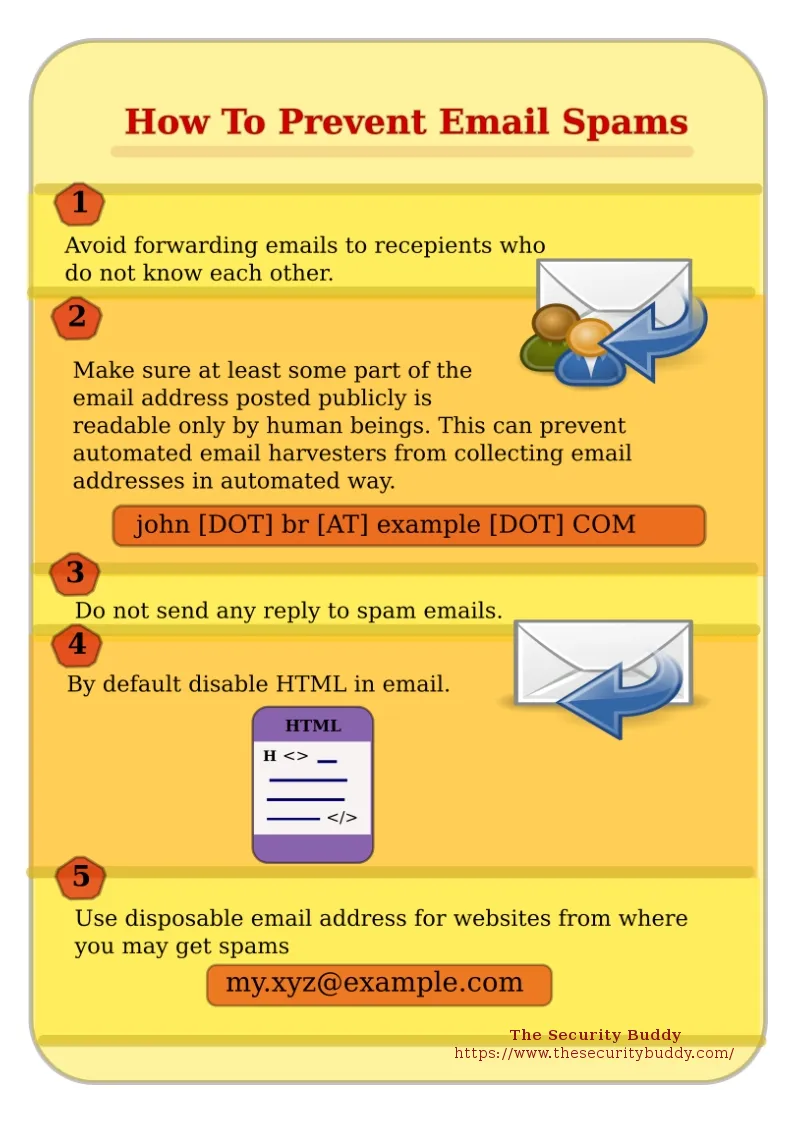
- Use a Secondary Email: Consider creating an alternate email for sign-ups, purchases, or subscriptions. This shields your primary account.
- Opt for Two-Factor Authentication: Adding an extra security layer protects your account from unauthorized access.
- Stay Informed: Keep up with the latest phishing scams and email fraud techniques to remain vigilant.
Real-World Examples for Stopping Spam Emails
Utilizing Spam Filters
Most email providers, such as Gmail and Outlook, come equipped with built-in spam filters that automatically identify and move suspicious emails to a separate folder.
Why this matters: Highlighting the ability of spam filters helps in reducing clutter in the inbox, allowing users to focus on legitimate messages while protecting them from potential phishing attacks.
Unsubscribing from Unwanted Newsletters
Email services often provide an "unsubscribe" link in promotional emails, making it easy for users to opt-out of newsletters they no longer wish to receive.
Why this matters: Stating the importance of unsubscribing empowers users to take control of their inbox and limit unwanted emails, thereby enhancing personal organization.
Creating Custom Email Rules
Email clients allow users to set up custom rules to automatically filter emails based on specific criteria, such as sender, subject line, or keywords.
Why this matters: By keeping mailboxes organized through rules, users can manage incoming messages more effectively, ensuring important communications are prioritized.
Using Third-Party Spam Blockers
Various third-party applications and browser extensions are designed to detect and filter out spam emails before they even reach the user's inbox.
Why this matters: Providing an additional layer of protection, these tools can significantly reduce spam exposure and enhance security against malicious content.
Reporting Spam Emails
Users can report spam directly to their email provider, which helps improve the accuracy of spam filters for everyone using the service.
Why this matters: Encouraging the reporting process promotes a stronger community-based defense against spammers, contributing to a cleaner email experience for all users.
Enabling Two-Factor Authentication
Two-factor authentication (2FA) adds an extra layer of security, requiring users to provide a second form of identification to access their email accounts.
Why this matters: By implementing 2FA, users effectively safeguard their accounts from unauthorized access, reducing the risk of spam emails linked to compromised accounts.
Regularly Updating Email Addresses
For individuals and businesses, regularly changing email addresses and sharing the new ones only with trusted contacts can minimize spam exposure.
Why this matters: Asking users to update their contact information ensures they stay one step ahead of spammers, maintaining a clean and manageable inbox.
Addressing Common Concerns About Spam Emails
What steps can I take to reduce the number of spam emails I receive?
Start by using a separate email address for newsletters and online services. This way, your primary email is less exposed to potential spammers. Additionally, make sure to unsubscribe from unwanted mailing lists whenever possible.
How can I identify if an email is spam or legitimate?
Check for suspicious email addresses and look for grammar or spelling errors in the message. Be wary if the email requests sensitive information or prompts you to click on unfamiliar links.
What role does my email provider play in filtering spam?
Many email providers have built-in spam filters that automatically direct suspected spam to a junk folder. You can enhance these filters by reporting spam you receive, allowing the provider to improve its detection methods.
Should I use a spam-filtering service, and are they worth it?
Using a third-party spam filter can be beneficial if your email provider's filters aren't sufficient. These services often come equipped with advanced algorithms to identify and block spam more effectively.
Staying on top of spam emails is all about being proactive and taking control of your inbox. Regularly updating your filters, exercising caution with your subscriptions, and knowing when to hit that unsubscribe button can make a huge difference. It’s all about creating a digital space that feels good to you. So give these strategies a try; you’ll not only clear out the clutter but also reclaim your email experience. Your peace of mind is just a few clicks away—go ahead and make that inbox work for you!




