Changing your email on your Amazon account might seem like a small task, but it’s crucial for keeping your online shopping experience smooth and secure. Whether you’ve switched providers, want to organize your inbox, or are locking down your account for added security, updating your email is the first step. 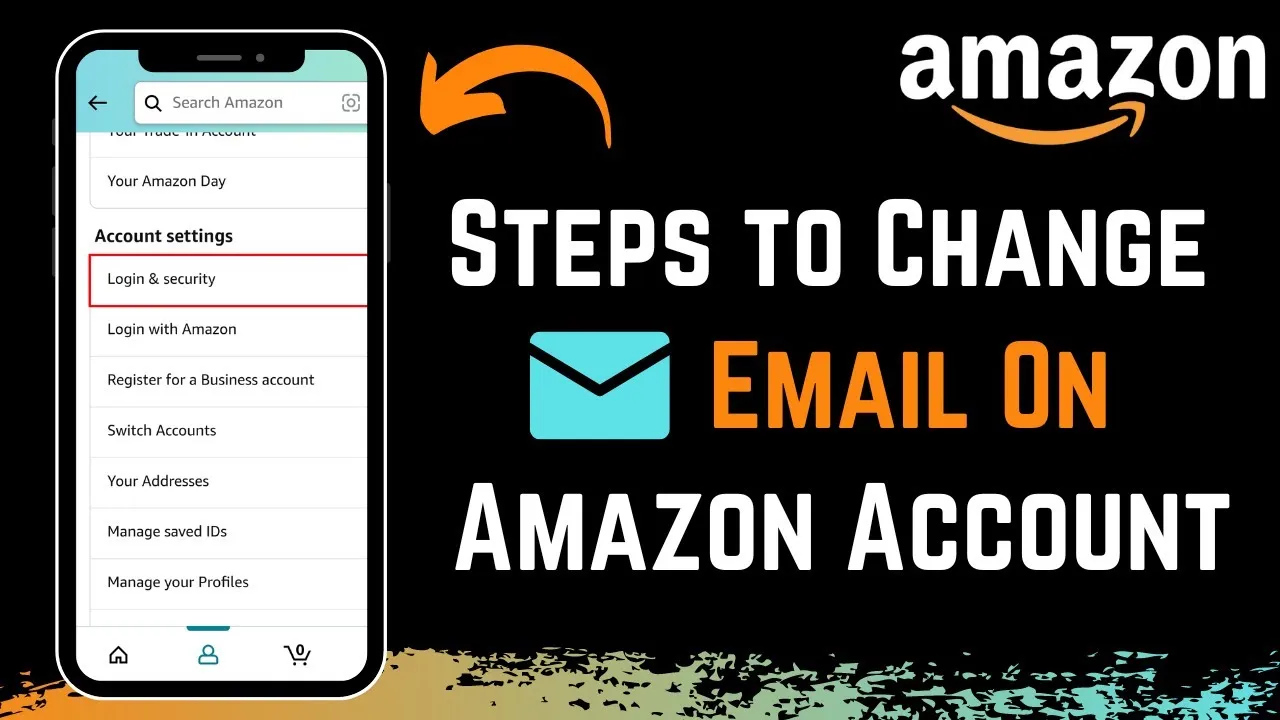
Having the right email linked to your Amazon account ensures you receive important notifications about your orders, account security, and promotions. Plus, it helps you maintain control over your online presence. With the potential for forgotten passwords or account-related issues, keeping your contact information current can save you a lot of hassle down the road.
Let’s walk through the straightforward process to make this change, so you can focus on what really matters—enjoying your shopping experience without a hitch.
Core Elements of Email Change on Amazon
Changing the email associated with your Amazon account is a straightforward process that enhances account security and ensures continued access to your services. Follow this breakdown of the essential steps and considerations for a smooth transition.
Steps to Change Your Email
- Log In: Access your Amazon account using your current email and password.
- Account Settings: Navigate to the account settings by clicking on “Accounts & Lists” at the top right corner.
- Login & Security: Select “Your Account,” and then choose “Login & Security.”
- Edit Email: Click on the “Edit” button next to your email address.
- Enter New Email: Type the new email address, ensuring it’s valid and accessible. Amazon will send a verification link to this address.
- Confirm Changes: Check your new email for the verification link; click it to confirm the update.
- Password Confirmation: You may be prompted to re-enter your password to finalize the change.
Important Considerations
- Access to Old Email: Make sure you have access to your old email to receive confirmation emails during the change.
- Account Security: Regularly updating your email address can enhance your account’s security.
- Amazon Services: Changing your email may affect notifications related to orders, payments, and account updates. Always check to ensure these settings are current.
Common Issues
| Issue | Resolution |
|---|---|
| Verification Email Not Received | Check spam/junk folders; ensure the correct email address is entered. |
| Unable to Log In | Use the password reset option if you encounter issues after changing your email. |
| Security Concerns | Enable two-factor authentication to enhance account protection. |
This process not only strengthens account security but also ensures uninterrupted access to essential services and communications from Amazon. For issues related to removing email accounts from devices, consider reviewing how to remove an email account from your iPhone.
Real-World Examples of Changing Your Amazon Account Email
Updating for Security Reasons
Changing your email on Amazon can enhance account security, especially if you suspect unauthorized access or have experienced a data breach. Regularly updating your email ensures that you're receiving important security notifications on an address you control.
Why this matters: Highlighting the necessity of maintaining updated security measures protects personal information from potential threats.
Transitioning to a New Email Provider
If you've switched to a more secure or user-friendly email service, you'll want to update your Amazon account accordingly. This ensures that all communication regarding orders and updates is streamlined through your preferred email.
Why this matters: Providing a seamless transition maintains access to essential order information without interruptions.
Consolidating Multiple Accounts
If you have multiple Amazon accounts and want to consolidate them under one email, changing your email address can help streamline your shopping experience. This allows you to manage orders, wish lists, and recommendations from a single source.
Why this matters: Asking customers to simplify account management fosters a more efficient and less confusing shopping experience.
Updating for Professional Purposes
Changing your email to a professional address can be beneficial if you use your Amazon account for business purchases or gift registrations. This ensures that receipts and confirmations go directly to your business email for easier tracking.
Why this matters: Stating the importance of professional organization leads to better financial management for business-related transactions.
Enhancing Personal Authentication
If you've defined a personal email that better aligns with your lifestyle or new circumstances, updating your Amazon email ensures that you receive notifications and communications that are relevant to you. This might include promotional offers or updates.
Why this matters: By ensuring that email communications are aligned with current interests, you enhance user engagement and satisfaction.
Preparing for a Move
When relocating, you might want to change your email to reflect a new geographical location. By doing so, you ensure that location-specific deals and recommendations are sent to your new address.
Why this matters: Providing relevance in communications ensures that users receive offers tailored to their new environment.
Facilitating Account Recovery
When you change your email on Amazon, you're also updating your account recovery options. This is particularly vital if you've forgotten your password and need to reset it through your email.
Why this matters: Highlighting the importance of easy account recovery ensures that users maintain uninterrupted access to their services.
Changing Your Email on Amazon Account: Answers to Common Queries
What should I do if I can't access the email linked to my Amazon account?
If you can’t access the email tied to your Amazon account, you can try to recover it through your email provider. If that doesn't work, Amazon has a process for verifying your identity through another method. You may need to provide alternate identification to regain access.
Will changing my email affect my order history and settings?
No, changing your email address won’t affect your order history or account settings. Everything associated with your account remains intact. It's just a matter of updating the contact information.
Is there a way to change my email using the Amazon app?
Yes, you can change your email address through the Amazon app. Just go to your account settings, select 'Login & Security,' and update your email from there. Make sure to confirm the new email address once you’ve made the change.
What if I don’t receive the confirmation email after changing my address?
If you don’t receive the confirmation email, first, check your spam or junk folder. If it’s not there, you might want to try resending the confirmation. You can also ensure that the email address you provided is entered correctly.
Changing your email on your Amazon account is super straightforward, and it keeps your information secure and up to date. Remember, keeping your contact details current is important not just for your purchases, but also for account recovery and notifications. If your email changes, go ahead and update it—it really is that simple. Take a moment to make those updates today, and if you need to know how to remove an email account from your iPhone during the process, check out our article for some additional help. You've got this!